OGD Reuse Guides

Public Data

Summary

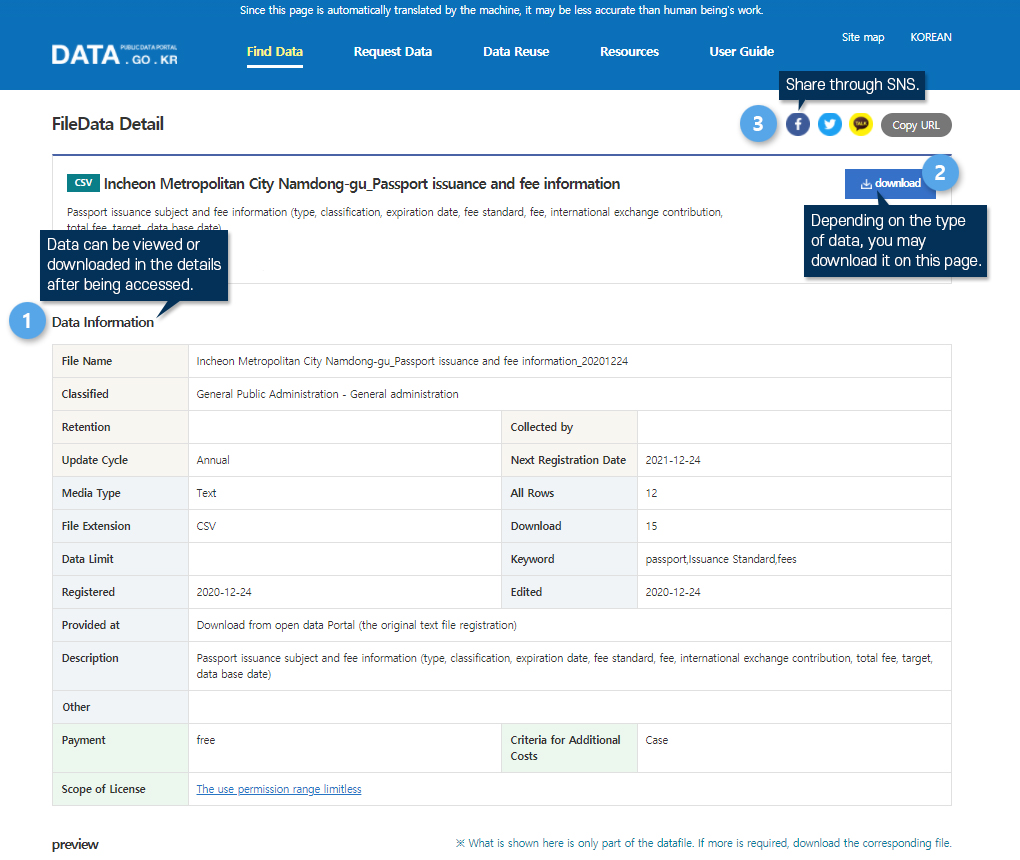
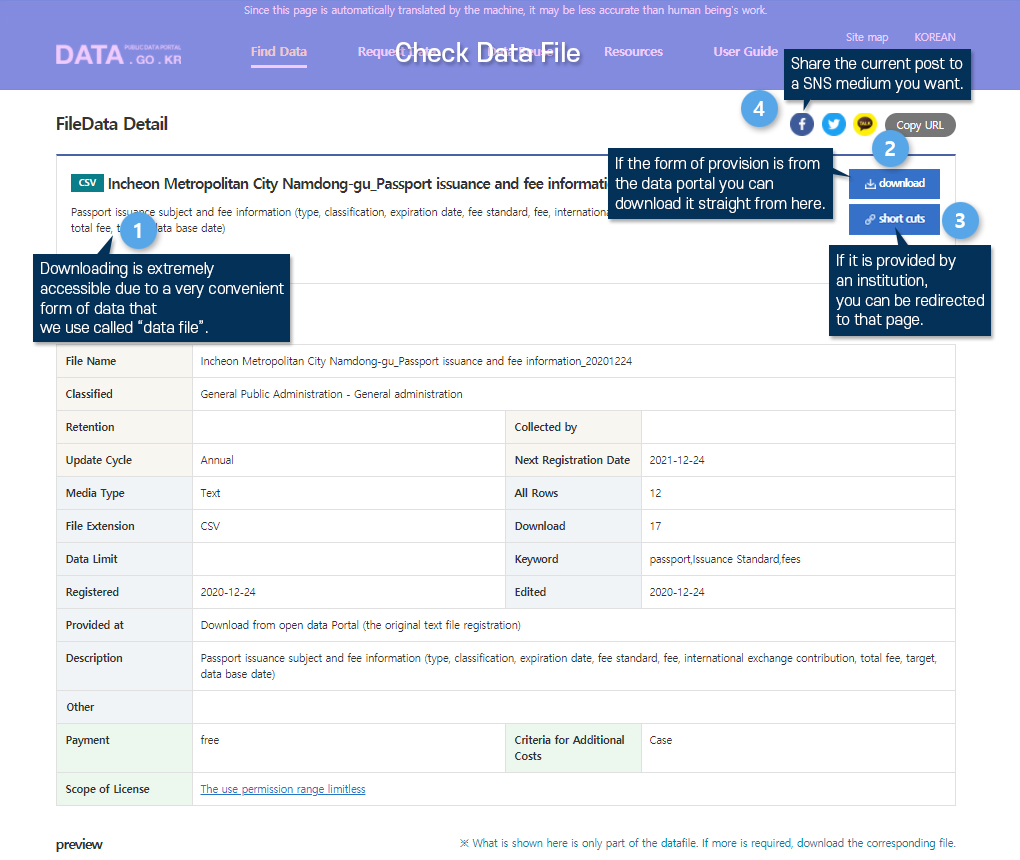
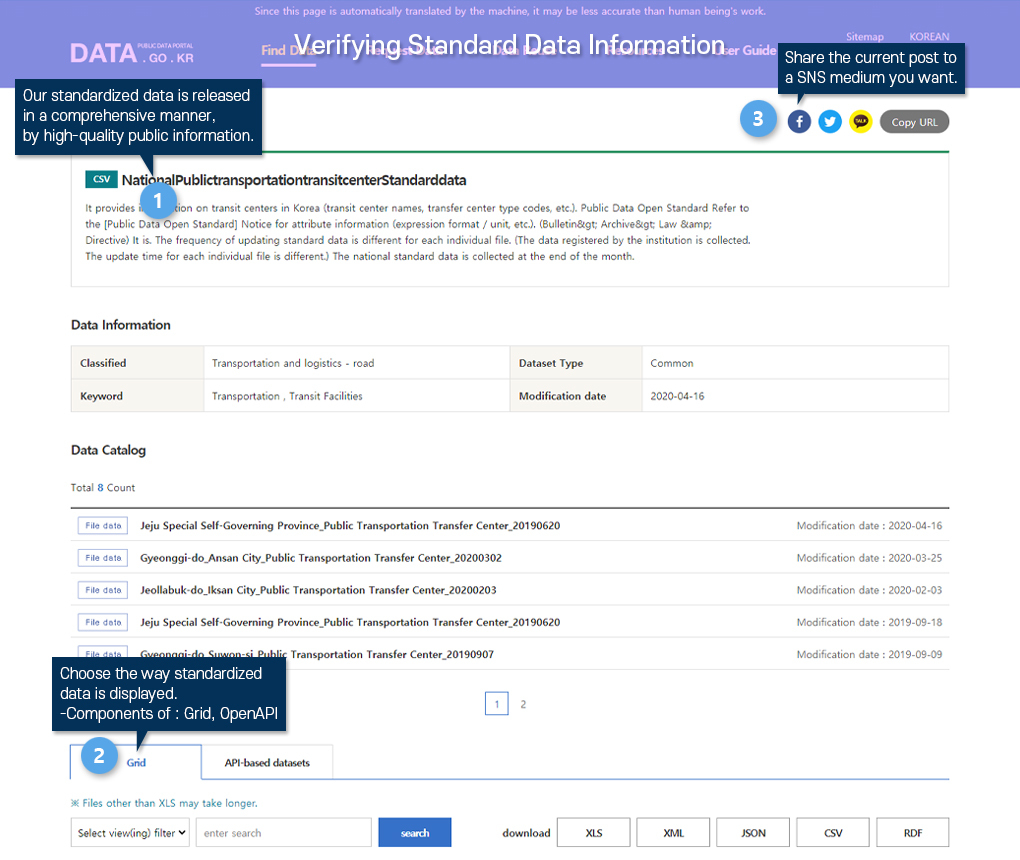
Public data refers to all materials or information produced by public institutions, as well as public information that fosters communication and cooperation among all citizens. When the lists of public data held by each institution and public data available to the public are registered on the portal, they are made available as high-quality public data that everyone can share.

TIP! Anyone can make use of it!

The portal (Public Data Portal) serves as a central hub for managing public data held by various public institutions. As a space where all public data to be made available to the public is gathered, the Public Data Portal is accessible to everyone.

Data Catalog

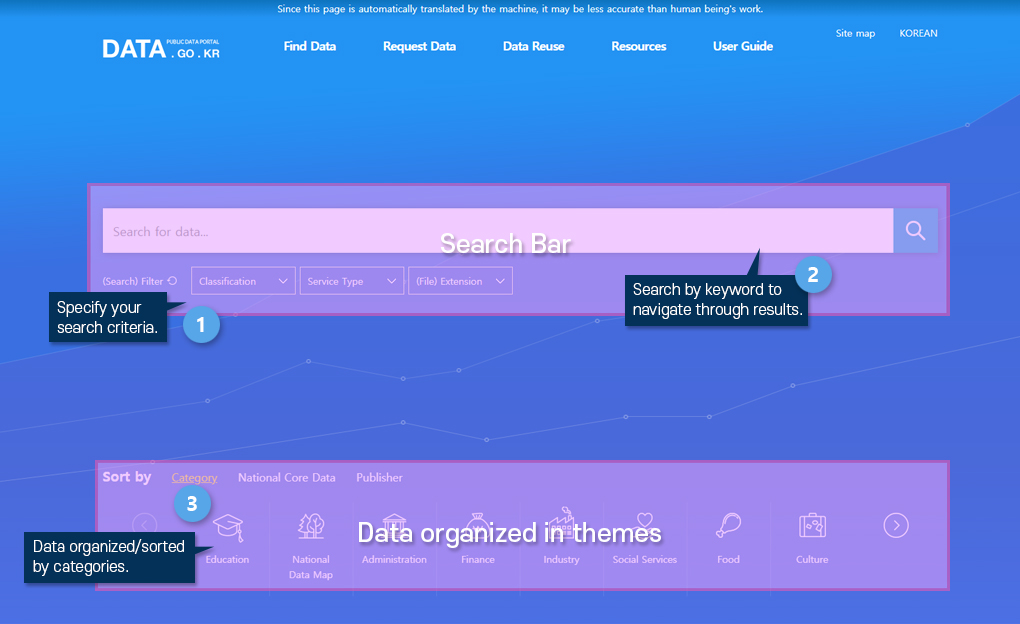
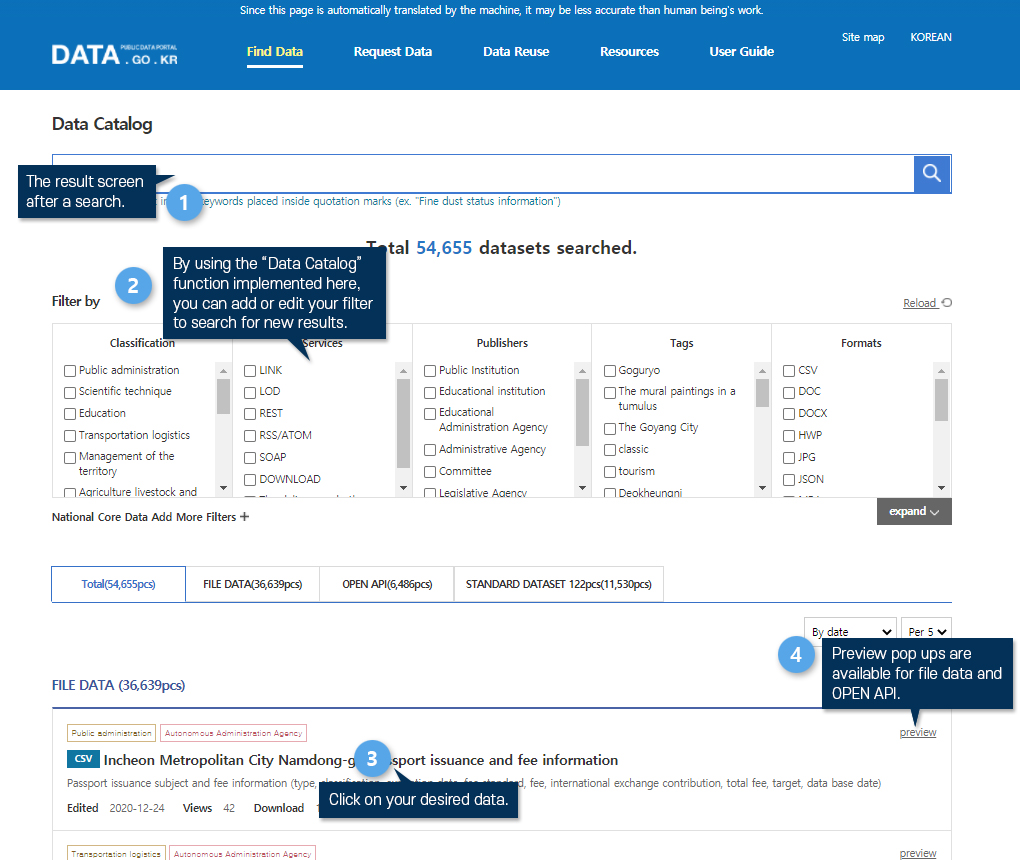
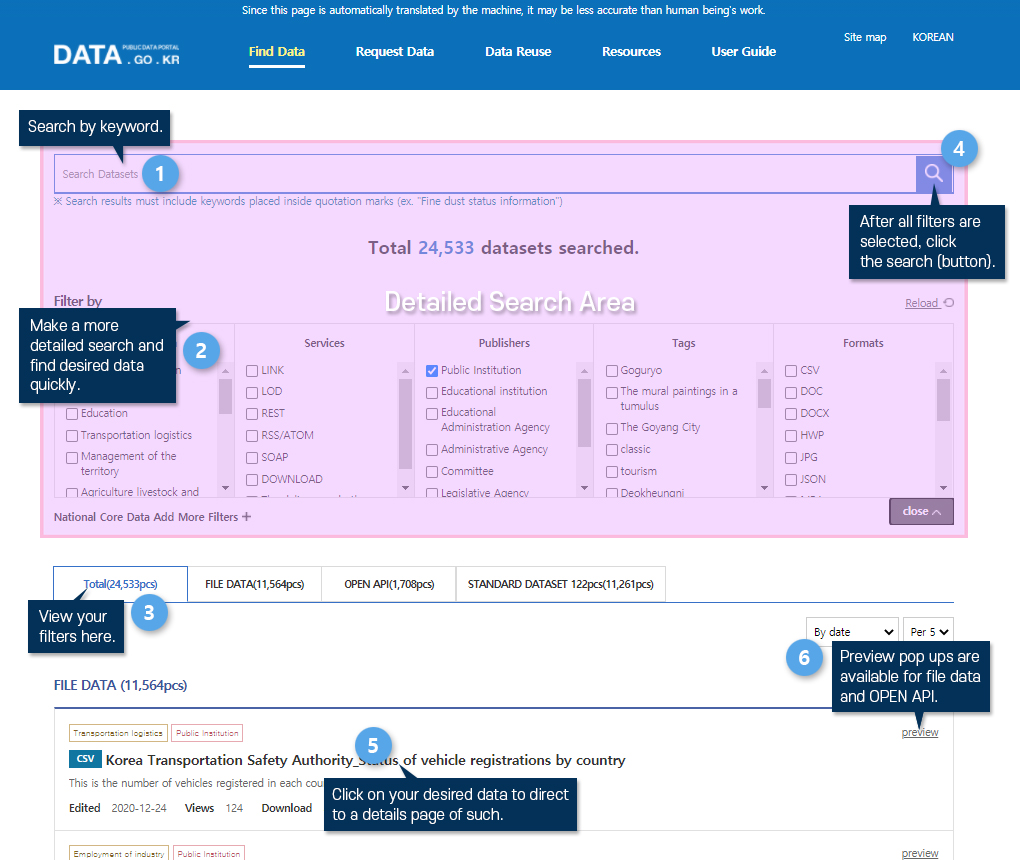
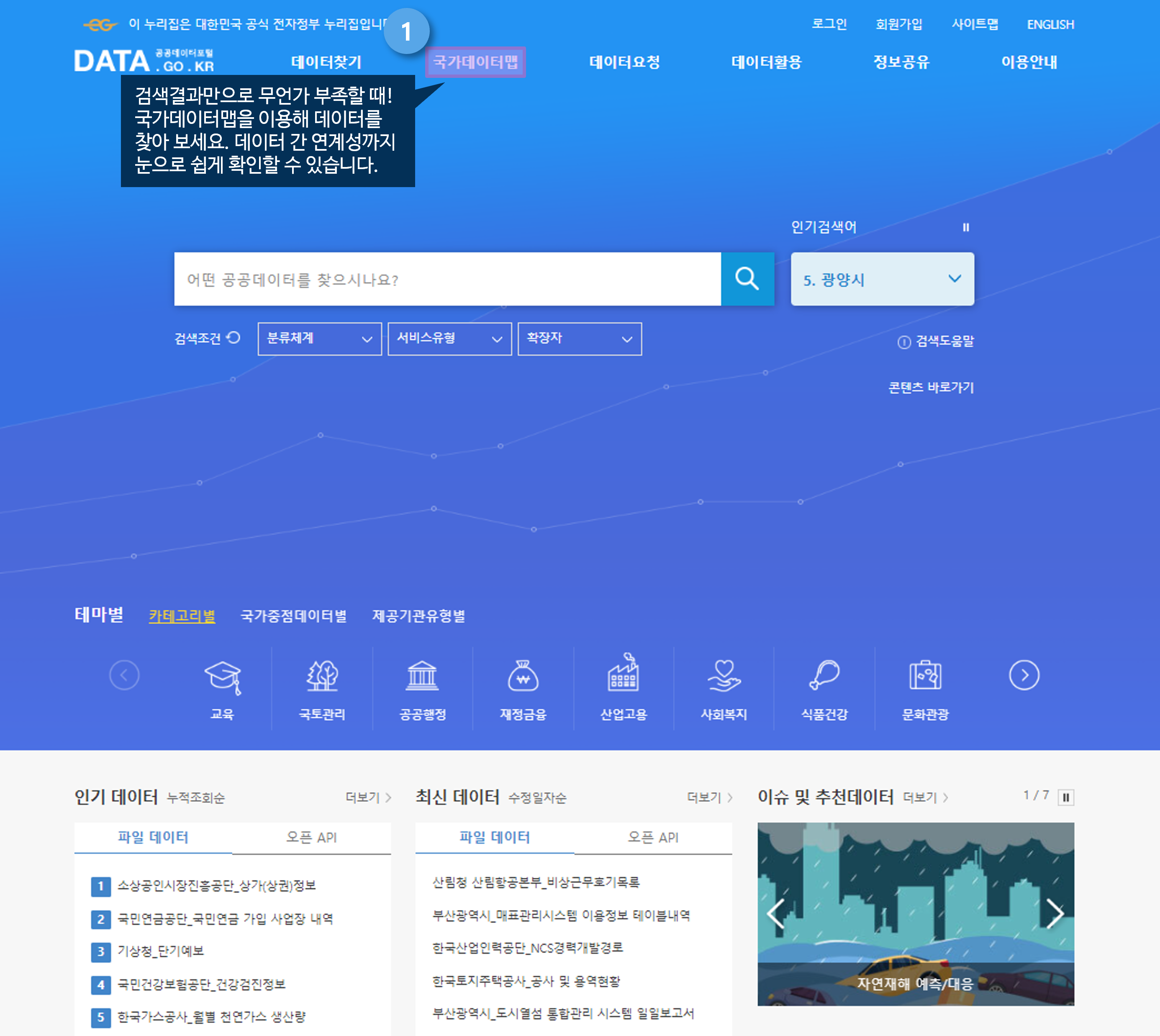
If you are considering starting a business using public data, you can easily find available public data from the public data list. You can search for public data that can be utilized in startup business models by type and content.

TIP! How do I search?

First! Search for the public data list by including the data name, keyword, description, etc.
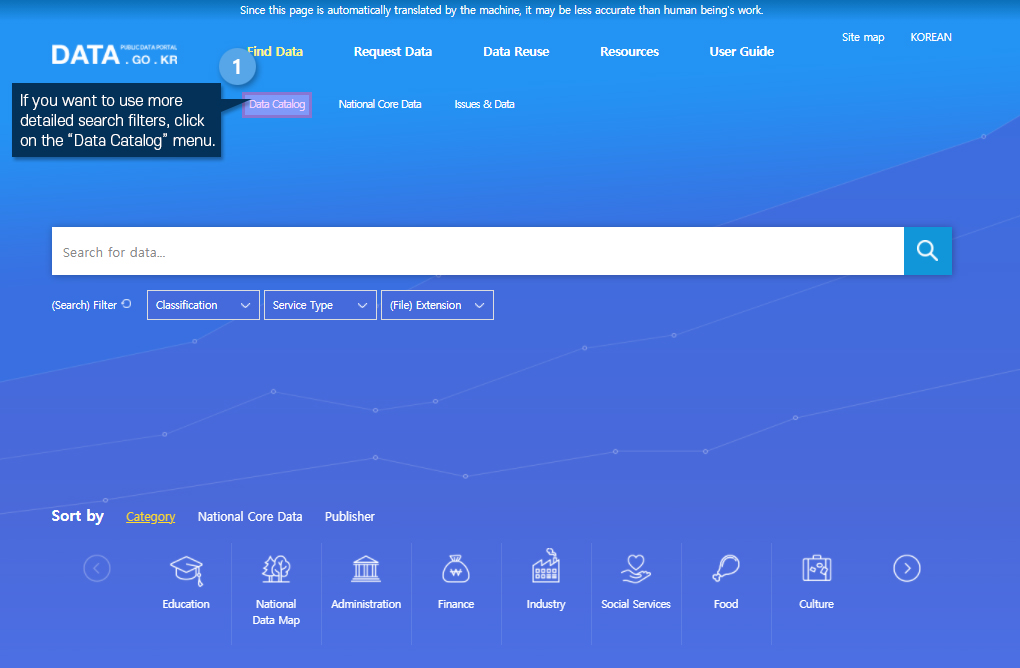
Second! Enter the "Data Catalog" menu on the Public Data Portal and freely search for the data you need by type and institution.

Request Public Data

Introduction of the Request Public Data

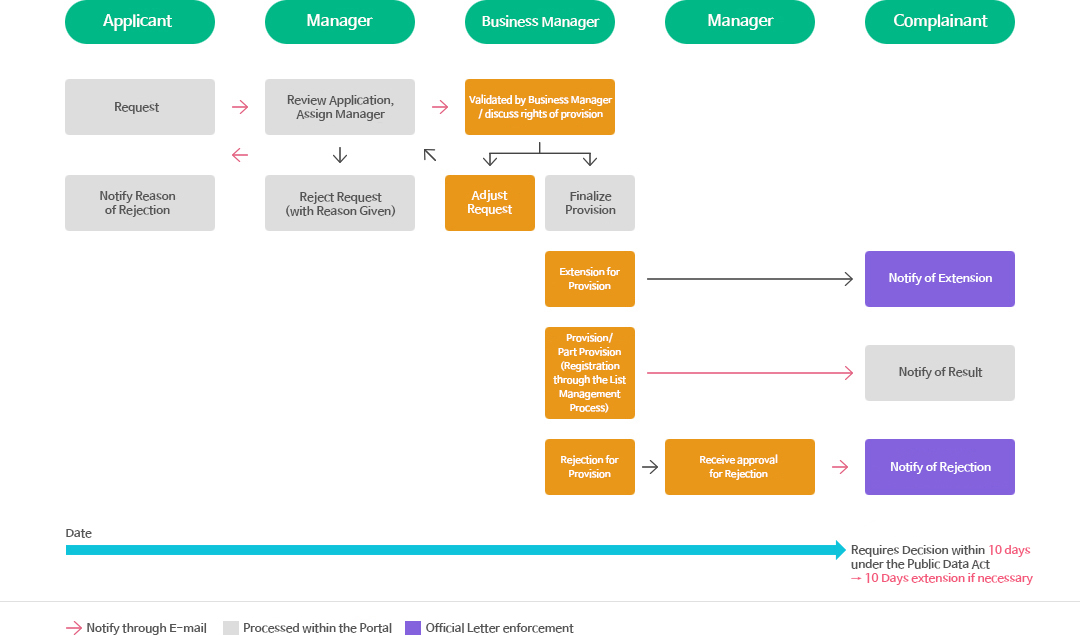
If you need public data not included in the list in addition to the open public data, you may apply separately (Article 27 of the Act). When you apply for the necessary public data, the relevant agency will decide whether to provide the public data within 10 days and notify the applicant.

TIP! What if the application was rejected?

* There are cases where applications for public data are rejected. In such instances, the applicant is notified of the reason for rejection based on clear grounds. If your application for provision is rejected, you may request the public data again by filing for dispute mediation.

Public Data provision and processing procedure

Procedures for processing Public Data
1. Application : When the applicant files an application for Public Data provision, the person in charge of the work inquires the applicant's application form and designates the person in charge of the work.
2. Refuse of application for provision : If there is a defect in the applicant's application for provision, the person in charge of the application shall notify the applicant of the reason for rejection through a Public Data portal based on clear grounds.
3. Consultation on whether to provide : The designated person in charge will check the details of the application and discuss whether to provide it.
4. Deciding whether to provide, registering : In the case of an extension of the period of provision, the person in charge of the service shall notify the civil petitioner by official letter In the case of provision or partial provision, the person in charge of the business informs the applicant of the provision via SMS or email. In the case of denial of provision, the applicant is notified of the refusal in an official letter through approval of the person in charge of the refusal.
5. Processing period : In accordance with the ACT ON PROMOTION OF THE PROVISION AND USE OF PUBLIC DATA (Public Data Act), the applicant must decide whether to provide the data within 10 days from the date of application. It can be extended up to 10 days if necessary.

Dispute Settlement of Public Data Supply

Introduction of the Dispute Mediation Process

Public institutions are obligated to provide the public data they possess and manage. Anyone can download public data available on the Public Data Portal or access it without restrictions by applying for open API access. However, to access public data not registered on the Public Data Portal, users must submit a request to the relevant data-holding institution. However, if the institution refuses to provide the data or discontinues provision of previously provided public data, users must file a complex administrative lawsuit to obtain the data.

Dispute Mediation for Providing Public Data is a system that supports citizens to use data through simple dispute mediation procedures without going through complex administrative litigation in connection with refusal or interruption of Public Data provision.

TIP! Request Mediation of Disputes?

You can apply for dispute mediation within 60 days of receiving a refusal or suspension of public data provision from a public institution through the Public Data Portal (Data Request > Dispute Mediation Application). You can also apply via email or in person at the Public Data Dispute Mediation Committee. If both the applicant and the public institution accept the Public Data Dispute Mediation Committee's mediation proposal, the mediation process takes effect as a "court settlement."

*Open Data Mediation Committee
Homepage of the Open Data Mediation Committee : www.odmc.or.kr
Inquiries : 02-6191-2064, odmc@nia.or.kr

Request Public Data and Request Mediation of Disputes

Request Public Data and Request Mediation of Disputes
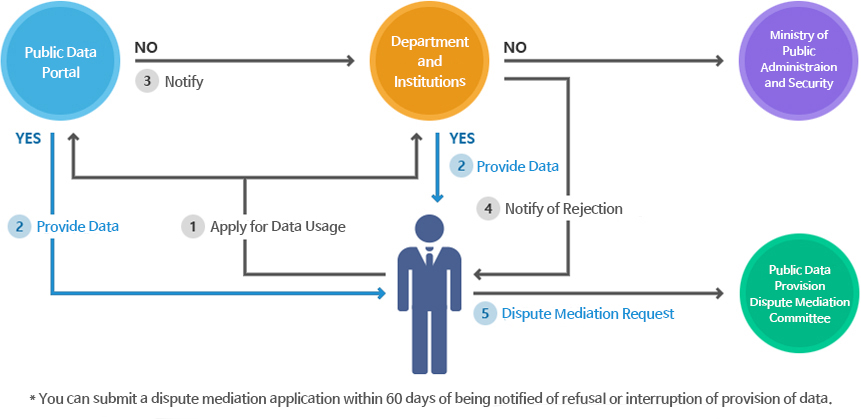
1. Apply for Data Reuse : Applicants can apply for the use of data to various departments and agencies through the Public Data portal.
2. Provide Data : If Public Data is provided through a Public Data portal or through ministries and agencies, the applicant has received the desired data, so there is no need to use the dispute settlement application unless there is a disruption of the data provided.
3. Request Mediation of Disputes : In the event that each ministry or agency has issued a decision notification that refuses to provide data, the applicant may file an application for dispute settlement through the Open Data Mediation Committee or the Public Data Portal.
4. Request Mediation of Disputes must be filed within 60 days after receiving notification of the provision and suspension of Public Data.

* If you would like more detailed information about the public data dispute mediation system and procedures, please refer to the Public Data Dispute Mediation Committee (Committee > Public Data Dispute Mediation Committee) menu.

  1. STEP1 Open API Introduction
  2. STEP2 Open API Reuse Request
  3. STEP3 Open API Reuse verification
  4. STEP4 Open API Authentication Key

Introduction to Open API

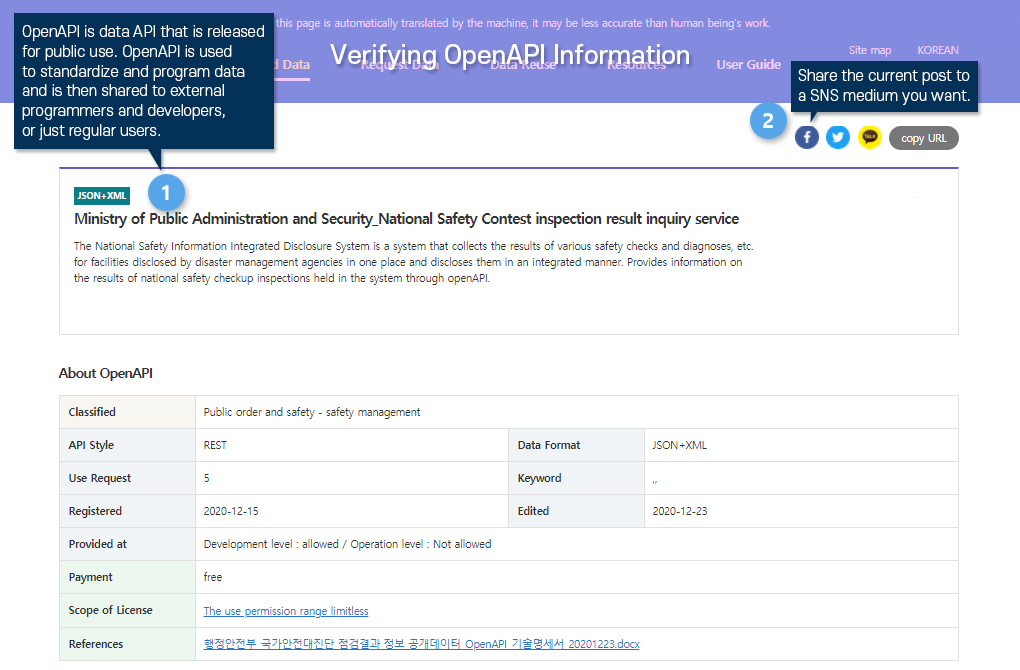
Open API refers to an API that is open to anyone to use. It is a program to standardize and program data and share it with external software developers and users. You can develop various and interesting services, applications, and various types of platforms by using open Open API.
*What is API? Short for Application Programming Interface, it refers to the application programming interface. It is an interface that allows you to control functions provided by an operating system or programming language that can be used for various applications.

TIP! How to use it usefully!
  • It can be used when updates are frequent and users need to provide large amounts of data, or when it is necessary to issue an account through a Public Data portal.
  • Real-time updated data such as weather and traffic information can be provided, and software developers and users can easily use it, so there are various advantages such as reduction in development cost and development period.
API-based datasets Introduction

Open API Life Cycle : Example of 'Seoul Bus Data'

Seoul Bus Information

1. Public Bus transportation service - Real-time Location information, Arrival information per stop 2. Developer 3. Seoul Bus Application 4. User
API-based datasets Reuse Request - Request Developer’s Account

Open API Reuse Request

1. Create a developer’s account. A developer’s account is an account that has to authority to use API-based datasets. An average of 1000 cases are reviewed everyday.
Applications for Open API reuse are only supported on PCs.
  • A developer’s account is an account that has to authority to use Open API. An average of 1000 cases are reviewed everyday.
API-based datasets Reuse Request - Request Operating Account

Open API Reuse Request

1. Apply for a operator’s account. An operator’s account is used for a user to use developed services. provides up to 100,000 traffic per day.
Applications for Open API reuse are only supported on PCs.
  • An operator’s account is used for a user to use developed services. About 100,000 use it daily.

Approval for use of Open API

When you have completed both the development account and the operating account application, please wait for approval of the application for using the API-based datasets. Approval is done in two ways,'automatic approval' and 'deliberation approval'.

What is automatic approval?

This refers to a case that is automatically approved at the same time as the approval application without separate confirmation. The application for reuse can be quickly approved without separate confirmation from the person in charge of the publisher organization.

What is deliberation approval?

Two to three days after application, the result is notified. API-based datasets can be used only after ‘approval’ by the person in charge of the publisher organization is completed. After application, it usually takes 2 to 3 days, and approval is notified to the registered e-mail when signing up.

Approval for use of API-based datasets
Applications for Open API reuse are only supported on PCs.
  • When you have completed both the development account and the operating account application, please wait for approval of the application for using the API-based datasets. Approval is done in two ways,'automatic approval' and 'deliberation approval'.

Issuance of Open API authentication key

If approval is completed, one authentication key can be issued per person for application for use. If you call API after entering the data provision address (URL) and API-based datasets authentication key in the program, you can easily receive the desired data and use it for service development.

Issuance of Open API authentication key

API call based on Open API authentication key and URL

Publisher : Livestock Products Quality Evaluation Institute Open API Name : Beef History Information Service Name of the-world name : cow Movement Information
Applications for Open API reuse are only supported on PCs.
  • If approval is completed, one authentication key can be issued per person for application for use. If you call API after entering the data provision address (URL) and API-based datasets authentication key in the program, you can easily receive the desired data and use it for service development.
  1. STEP1 Introduction of Visualization
  2. STEP2 Using Visualized Data
Introduction of Visualization

Introduction of Visualization

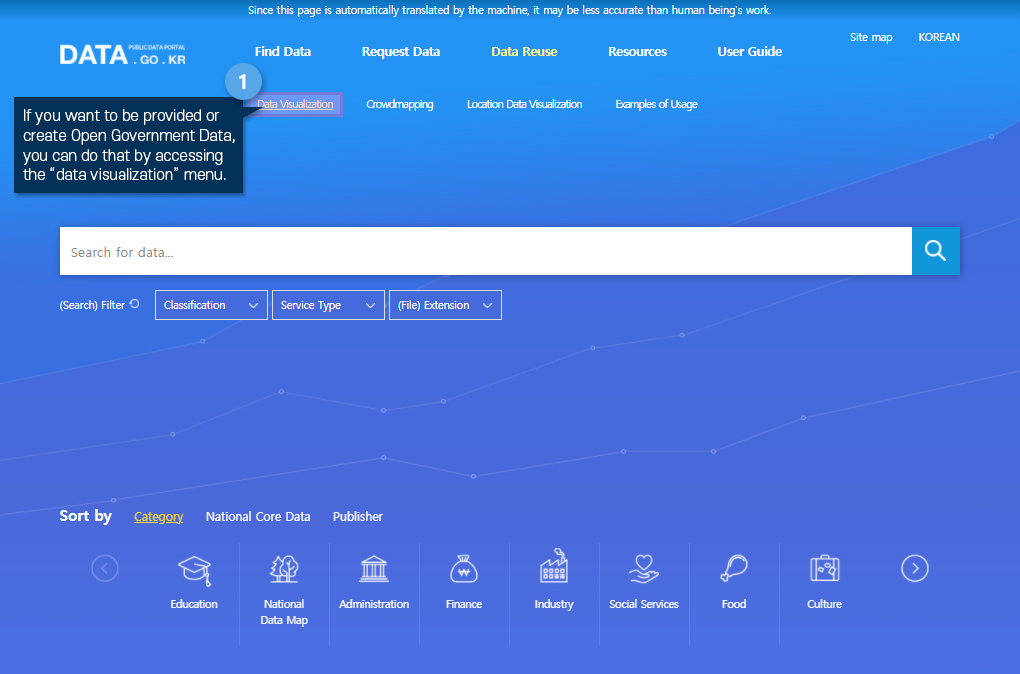
1. If you want to be provided or create Public Data, you can do that by accessing the “data visualization” menu
Introduction of Visualization

Introduction of Visualization

1. If you want to be provided or create Public Data, you can do that by accessing the “data visualization” menu
Using Visualized Data

Using Visualized Data

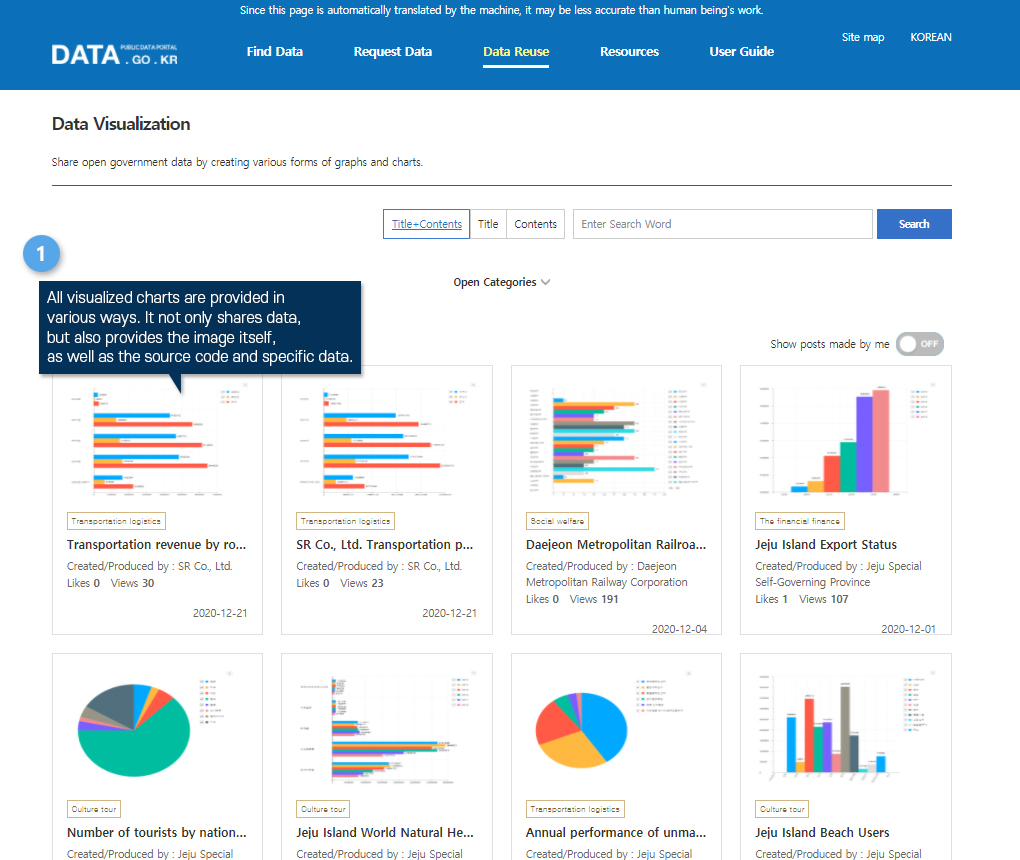
1. All visualized charts are provided in various ways. It not only shares data, but also provides the image itself, as well as the source code and specific data.
Using Visualized Data

Using Visualized Data

1. If you want to be provided or create Public Data, you can do that by accessing the “data visualization” menu
  1. STEP1 Location Data Visualization
  2. STEP2 Using Visualized Data
Location Data Visualization

Location Data Visualization

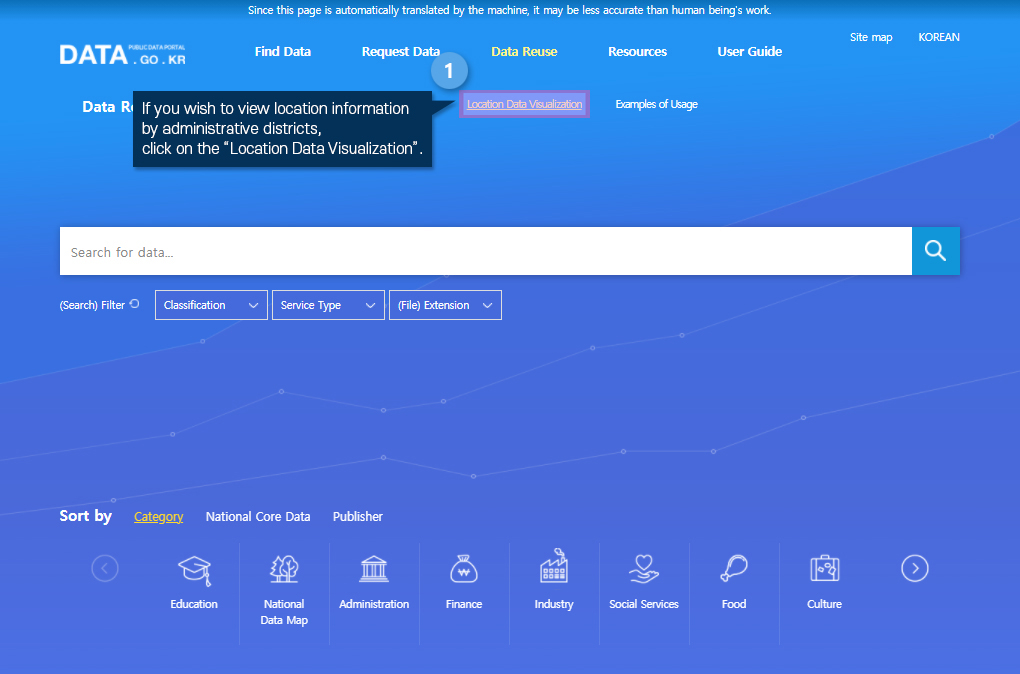
1. If you wish to view location information by administrative districts, click on the “Location Data Visualization”.
Location Data Visualization

Location Data Visualization

1. If you wish to view location information by administrative districts, click on the “Location Data Visualization”.
Using Visualized Data

Using Visualized Data

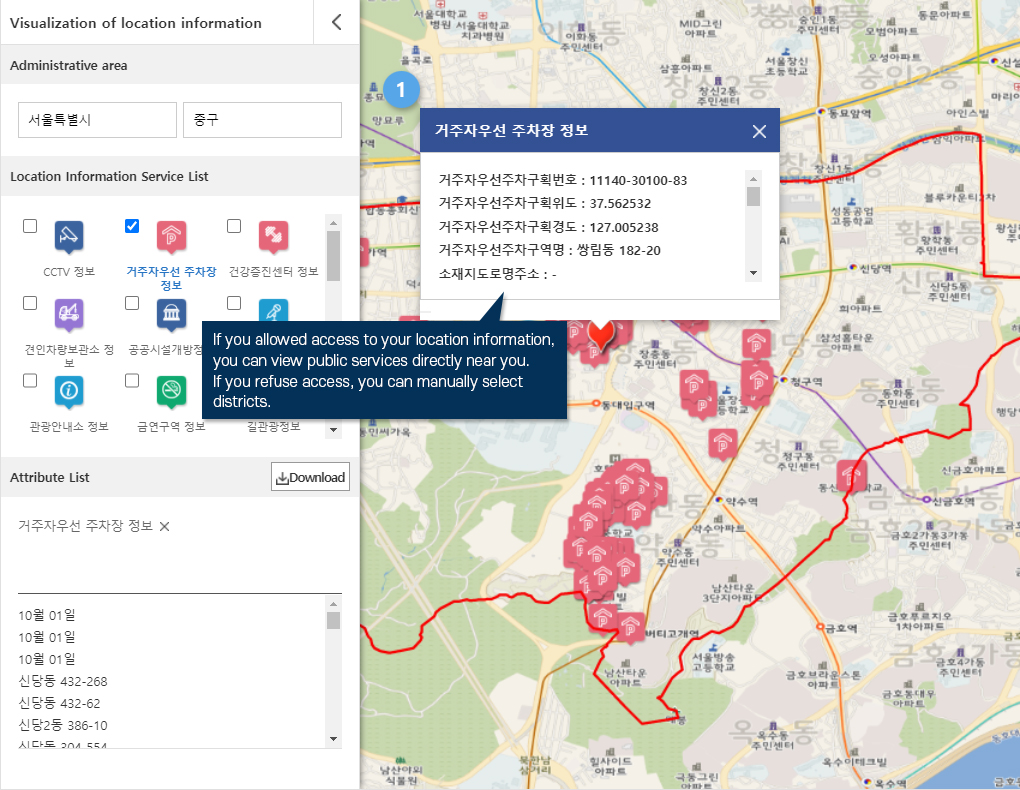
1. If you allowed access to your location information, you can view public services directly near you. * If you refuse access, you can manually select districts
Using Visualized Data

Using Visualized Data

1. If you allowed access to your location information, you can view public services directly near you. * If you refuse access, you can manually select districts
  1. STEP1 Crowdmapping Introduction
  2. STEP2 Using the Crowdmapping
Crowdmapping Introduction

Crowdmapping Introduction

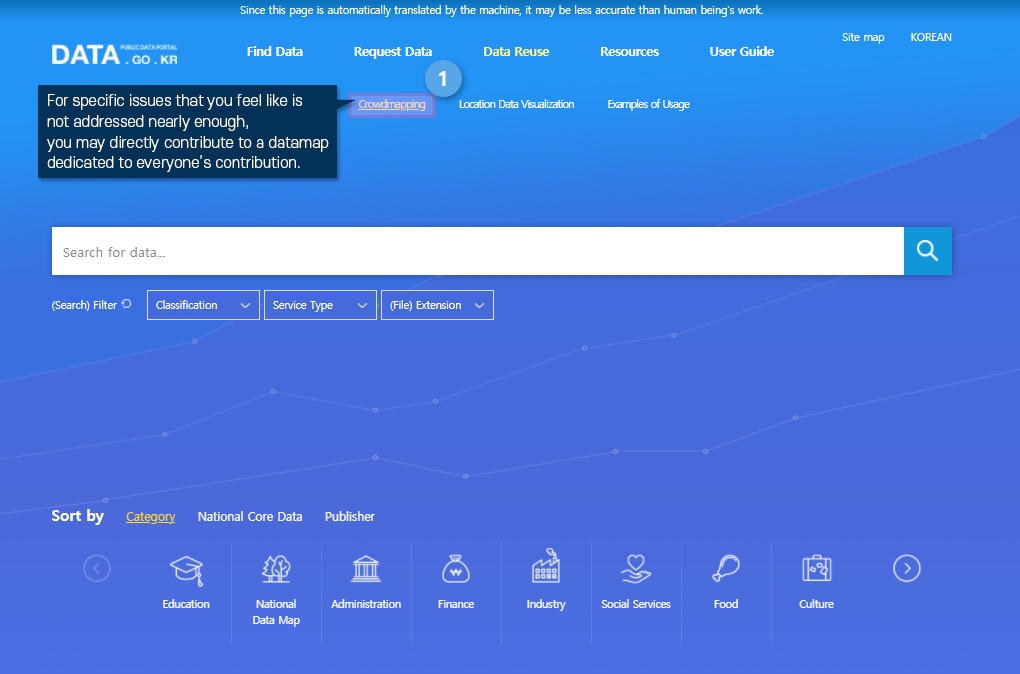
1. For specific issues that you feel like is not addressed nearly enough, you may directly contribute to a datamap dedicated to everyone’s contribution.
Crowdmapping Introduction

Crowdmapping Introduction

1. For specific issues that you feel like is not addressed nearly enough, you may directly contribute to a datamap dedicated to everyone’s contribution.
Using the Crowdmapping

Using the Crowdmapping

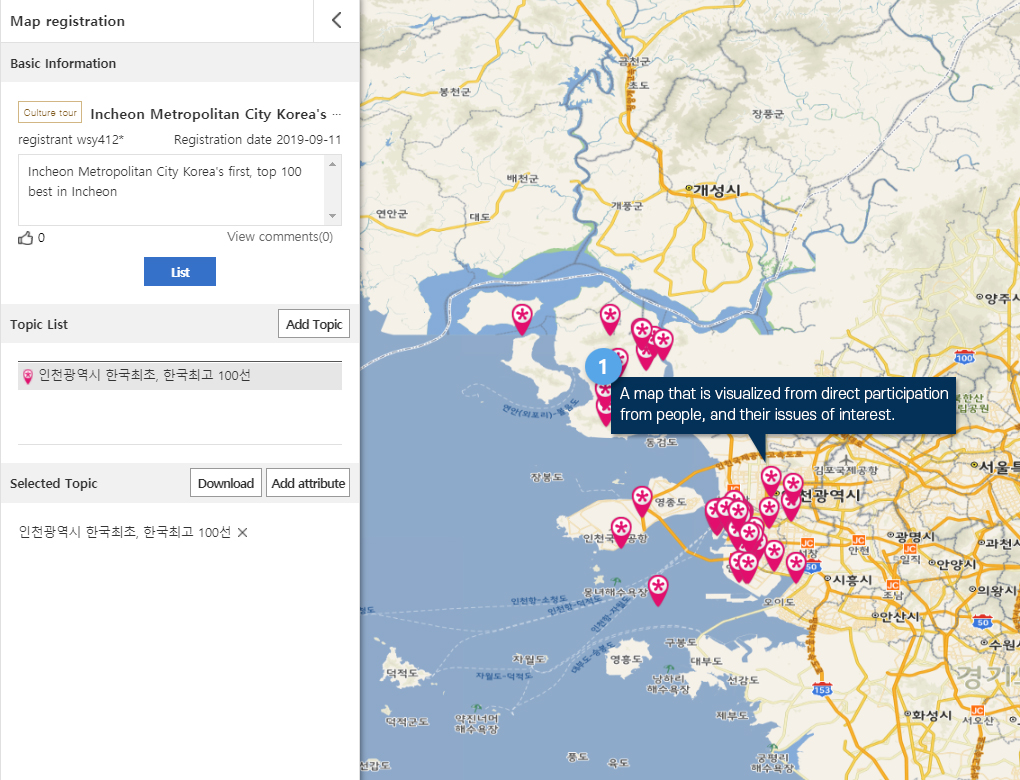
1. A map that is visualized from direct participation from people, and their issues of interest.
Using the Crowdmapping

Using the Crowdmapping

1. A map that is visualized from direct participation from people, and their issues of interest.
  1. STEP1 Analysis Service Introduction
  2. STEP2 Reuse
  3. STEP3 Registration
Analysis Service Introduction

Analysis Service Introduction

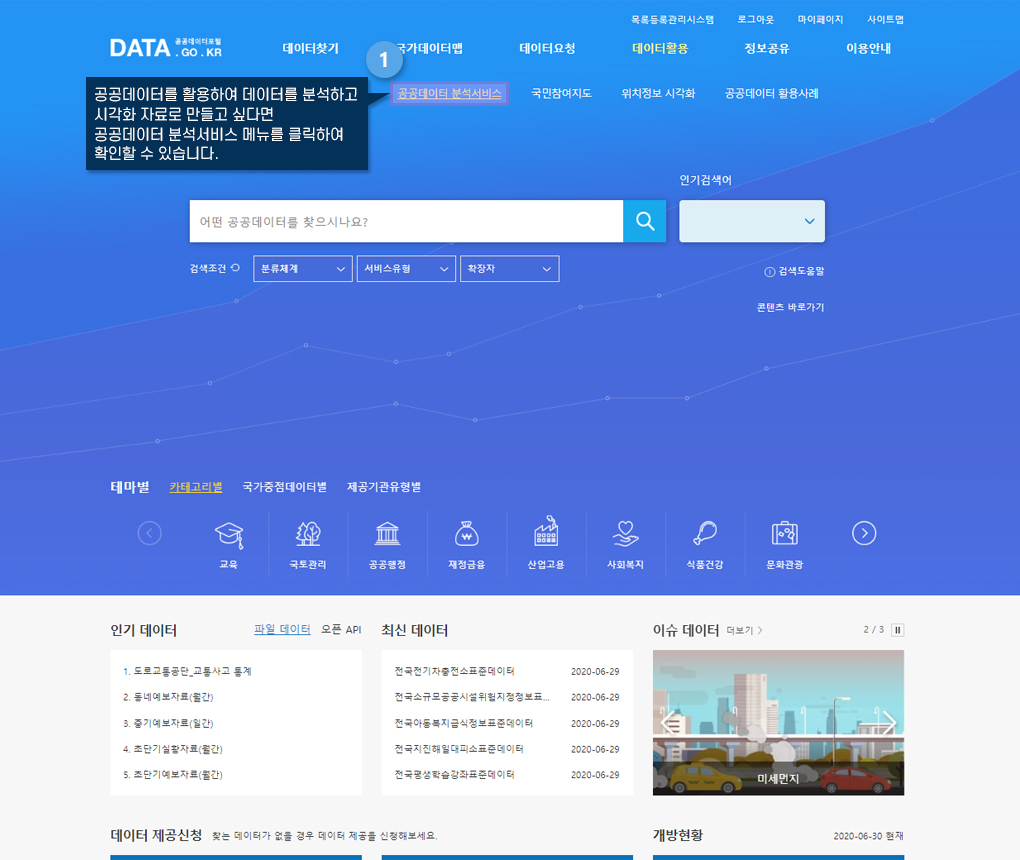
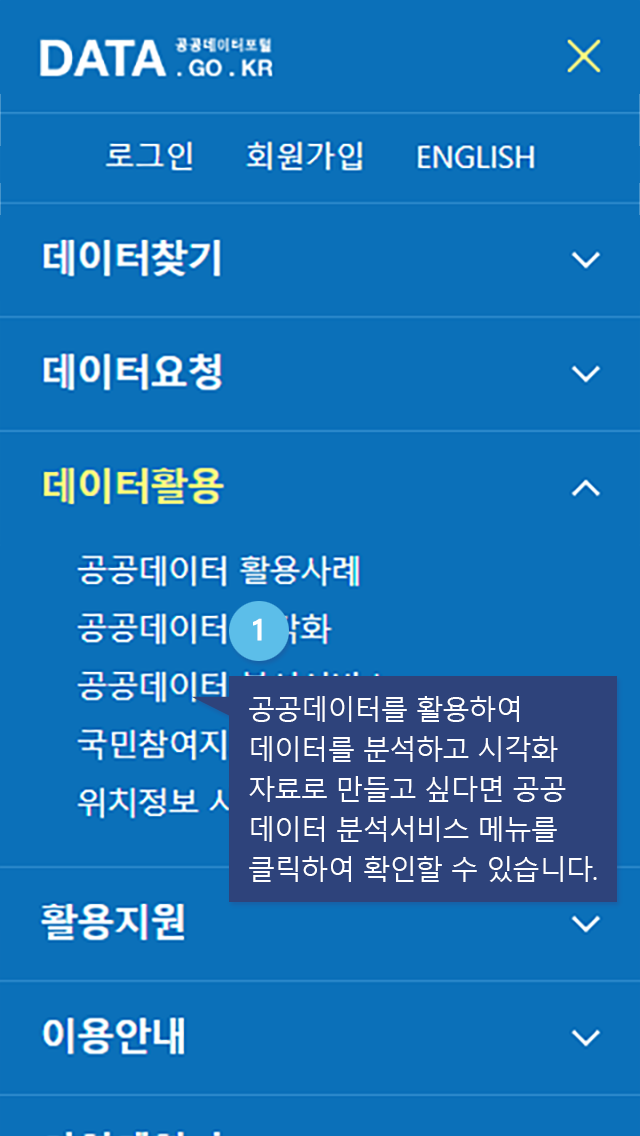
1. If you wish the create visualizations with public data, use the “Public Data Analysis” menu.
Analysis Service Introduction

Analysis Service Introduction

1. If you wish the create visualizations with public data, use the “Public Data Analysis” menu.
Usage

Reuse

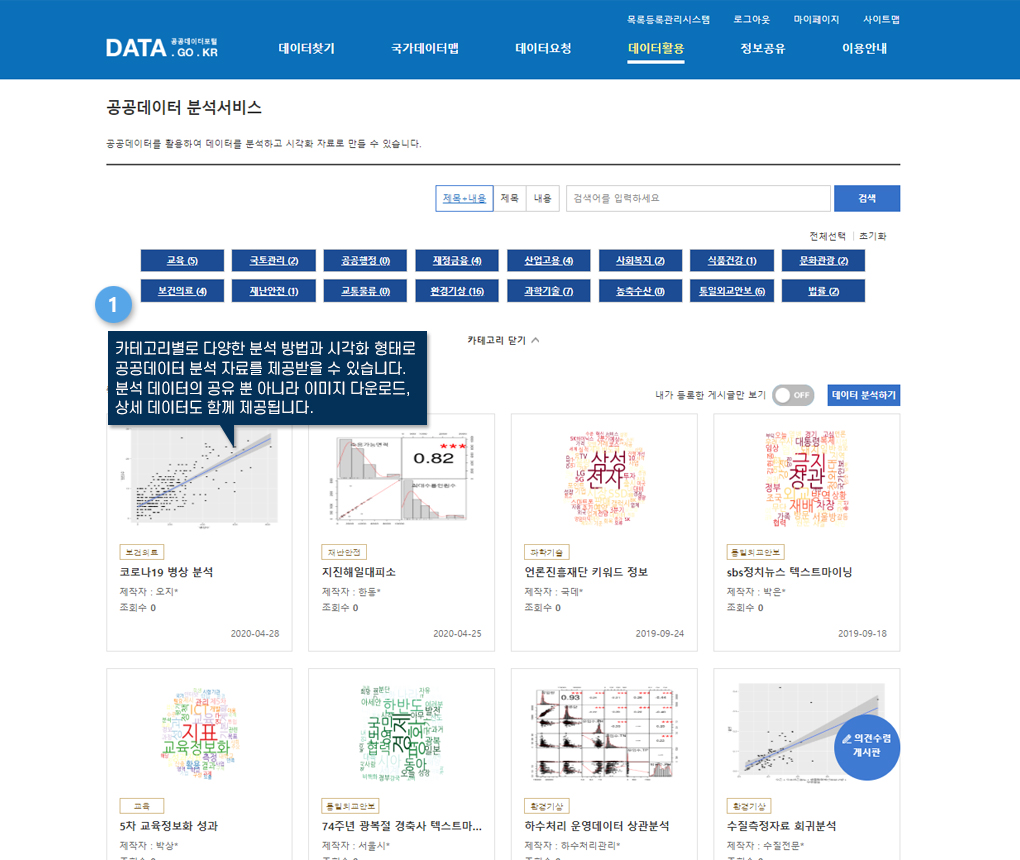
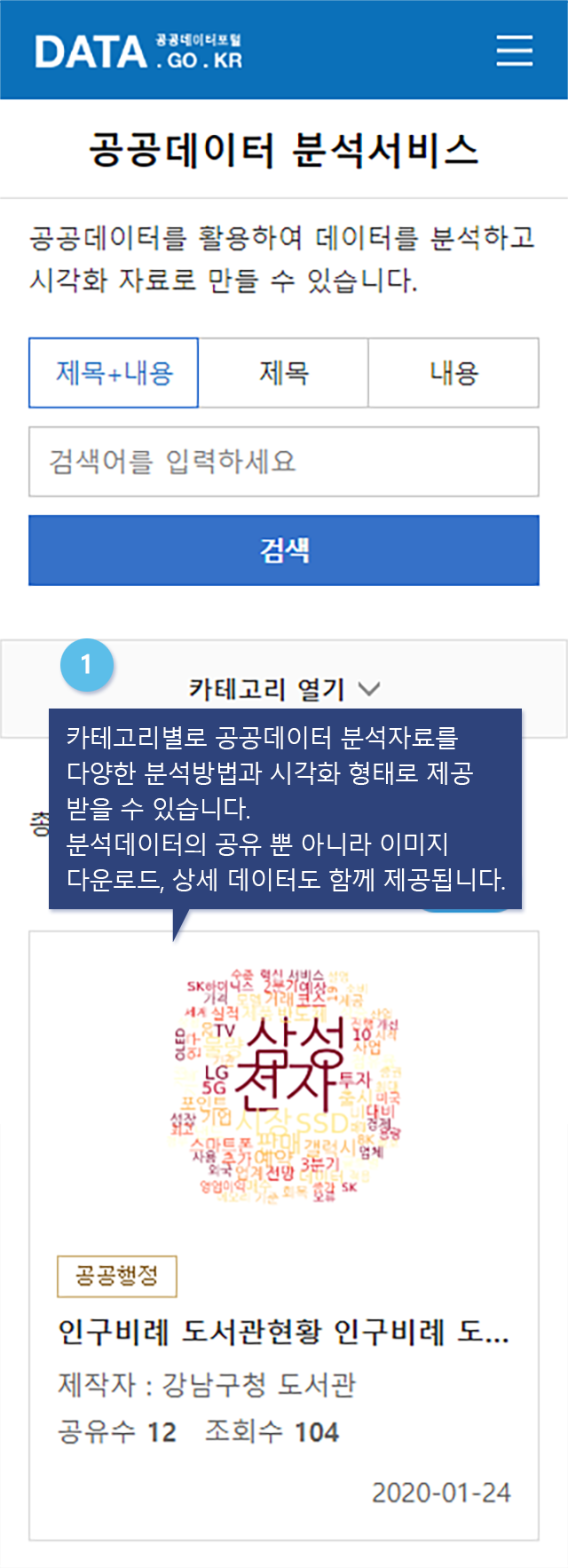
1. The visualization can be sorted in to categories, and is provided in many different forms. The details of the utilized data is also provided, as well as a download for the image itself.
Usage

Reuse

1. The visualization can be sorted in to categories, and is provided in many different forms. The details of the utilized data is also provided, as well as a download for the image itself.
Registration

Registration

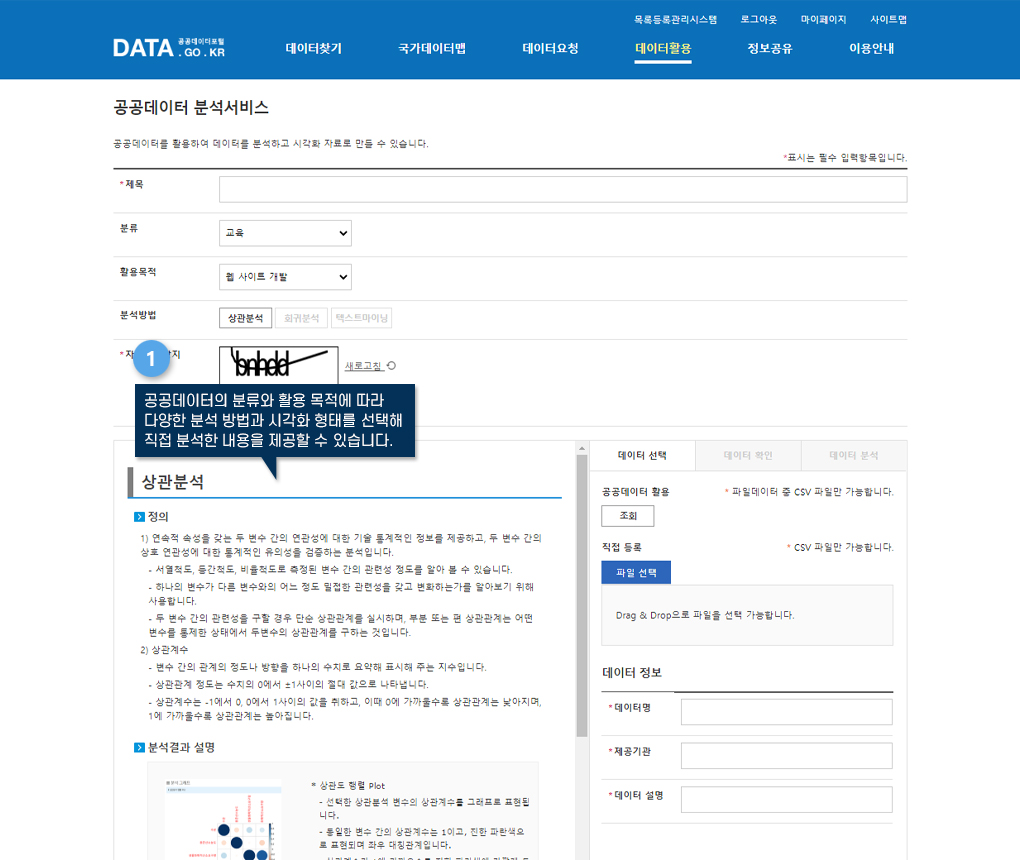
1. Select analysis methods and form of visualization to provide your own information.
Public Data analysis service registration is supported only on PC.
  • Public Data can be used to analyze and visualize data.